
The Inventory screen lets you view the devices deployed across your sites and the devices yet to be registered, manage backup and default configurations, and view other important details of the devices.
-
Select Inventory from the left menu of Kognitive Cloud.
-
In the Organization field, select the organization or sub-organization. The organization of the logged-in user is selected by default, and the list contains all of its sub-organizations.
-
In the Sites field, select the required sites (default All Sites).
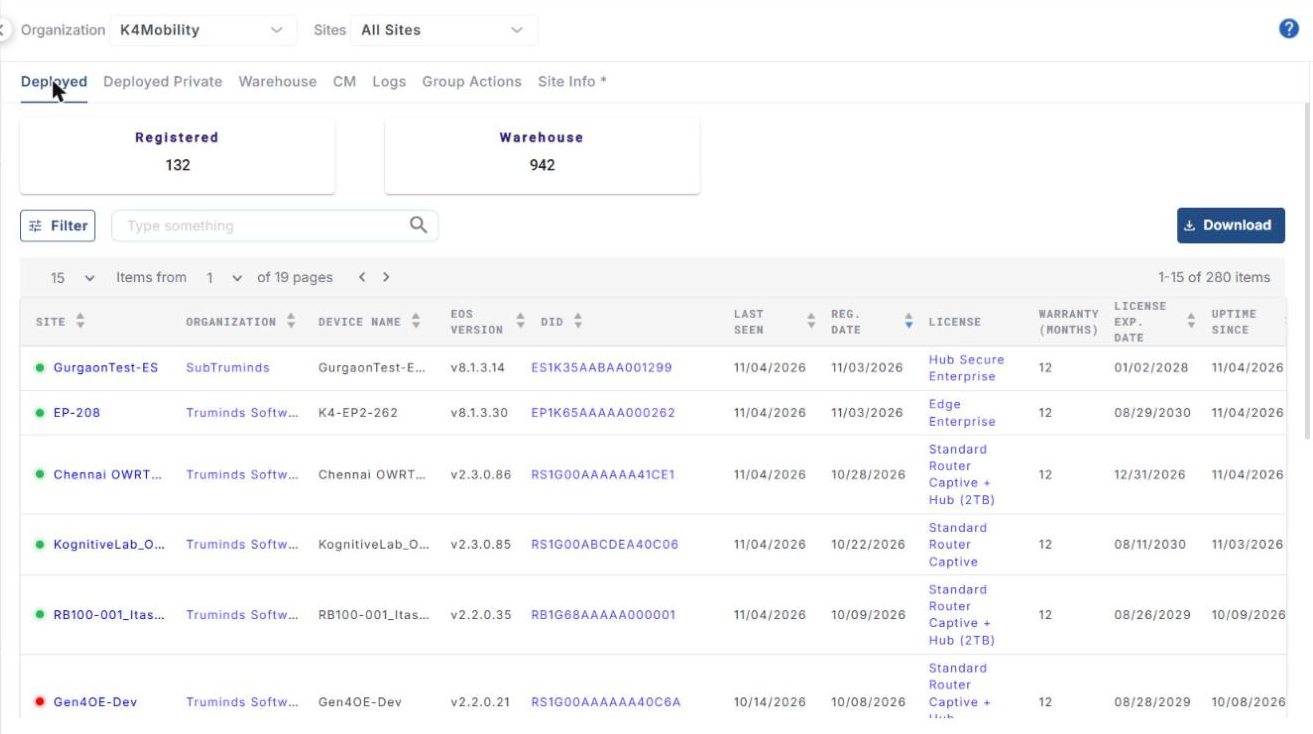
The Inventory screen has seven tabs: Deployed, Deployed Private, Warehouse, CM, Logs, Group Actions and Site Info *. The Deployed tab is selected by default.
Tabs marked with an asterisk (*) are restricted features. They are available only to users who have been given access to them.
Please refer to the following pages for more information about these tabs: