
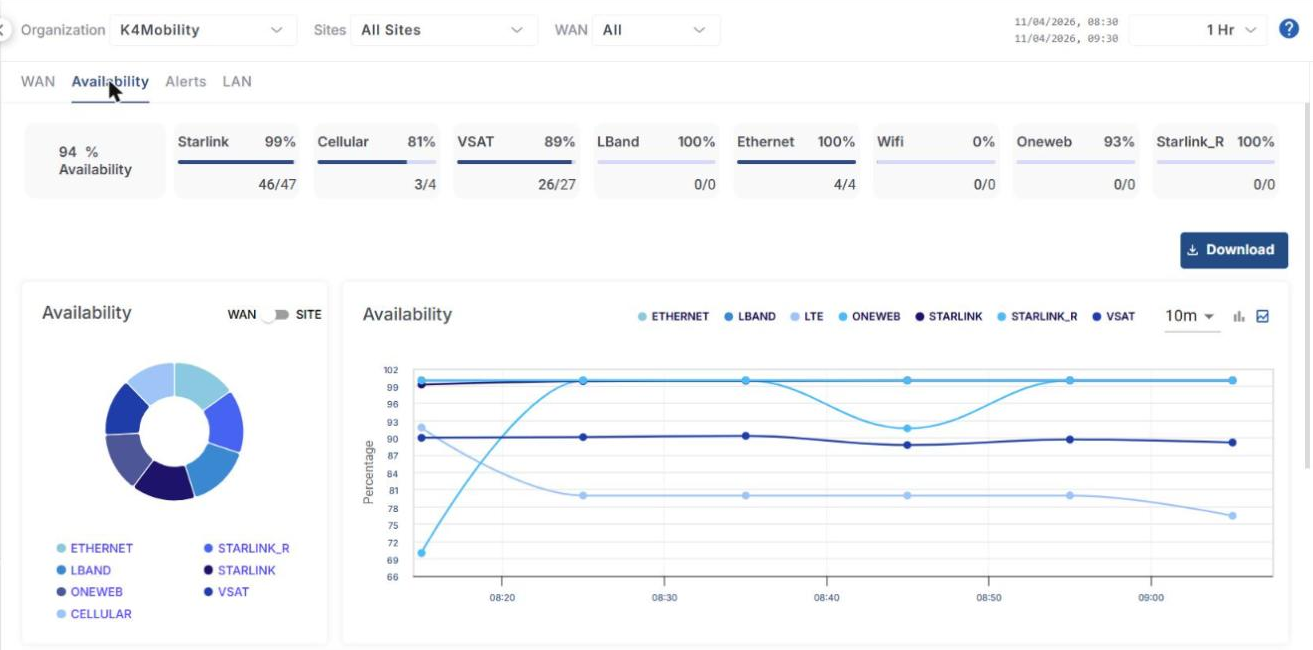
The Availability tab shows a summary of the availability of the WAN sources across the filter selection, and a historical chart of availability by WAN type.
Headers
The headers at the top of the screen show the following information:
-
Availability – The overall availability % of all the WAN sources of the selected sites.
-
Starlink, Cellular, VSAT, LBand, Ethernet, Wifi, Oneweb and Starlink_R – The total availability % of the corresponding WAN source. The number of Online links out of total links is also shown below.
-
Click the Download button below the headers to download the availability data in CSV format.
Availability
-
The Availability pie chart shows the availability % of the different WAN sources. Hovering the cursor on any item on the pie chart highlights the WAN source and shows its availability %.
-
Click the WAN / SITE toggle button to view the pie chart and chart based on the different sites of the organization.
-
All the blue highlighted text in the Availability screen is clickable. It can be the name of a WAN source or Site. Clicking it filters the entire screen and displays the availability information corresponding only to that WAN source or Site.
-
The chart on the right displays the availability % of the WAN sources at different time instances. The horizontal axis contains the time instances, and the vertical axis contains the availability %. The chart is shown in line format by default.
-
Select the chart interval (for example, 10m) from the interval dropdown.
-
Click the Bar chart or Line chart icon to view the chart in bar or line format.
Sites
-
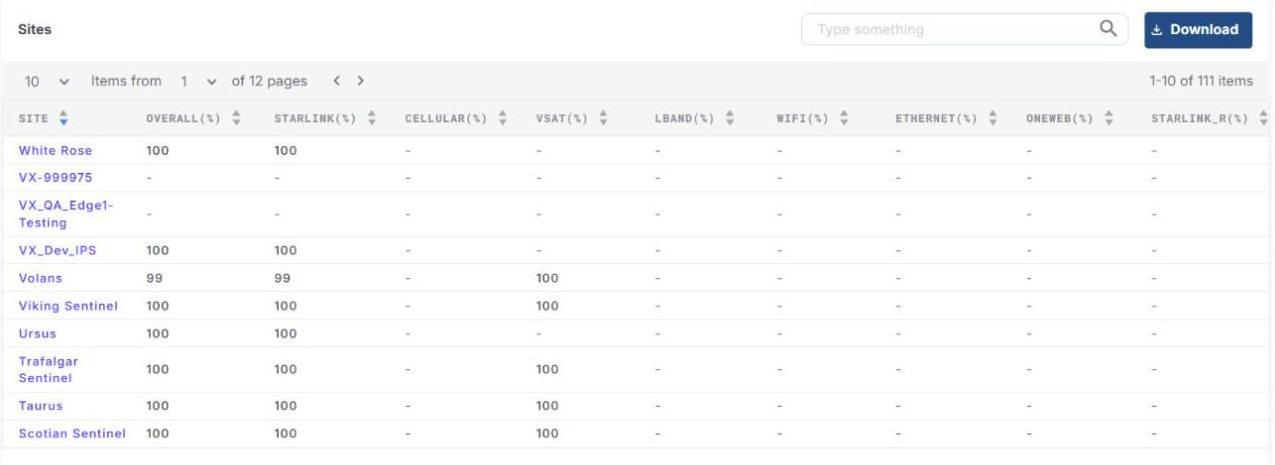
The Sites section shows a table that lists all the sites under the selected organization and their availability %.
-
The table shows the following information:
-
Site – Name of the Site
-
Overall (%) – Overall availability % for the site
-
Starlink (%), Cellular (%), VSAT (%), LBand (%), Wifi (%), Ethernet (%), Oneweb (%) and Starlink_R (%) – Availability % of the corresponding WAN for that site
-
-
Enter the required text in the Type something search field to search the table.
-
Click a column header to sort the table based on that column.
-
Use the Items from dropdown to change the number of sites displayed in one page, and use the < > buttons or the page dropdown to move between the pages.
-
Click Download to download the table data in CSV format.