
The All Threats tab shows the complete list of all threat alerts received by the system. The Table shows the following information:
-
Site Name
-
Device Name
-
Name
-
Class - Class of the Threat.
-
Severity - Severity level of the Threat.
-
Action - The type of action taken by the system (Allow/Block)
-
DST IP
-
SRC IP
-
Interface
-
Attack Time
-
Metadata - Hover the cursor on the info icon to view the details of the threat.
-
Operations - Click the + (Add Threat Kontrol) icon to open the Set Threat Kontrol dialog box pre-filled with the Threat Source (Device), Severity, Class and Threat Name of the selected threat. Enter the remaining details and click Save to create the rule. Refer the Threat Kontrol page for more information.
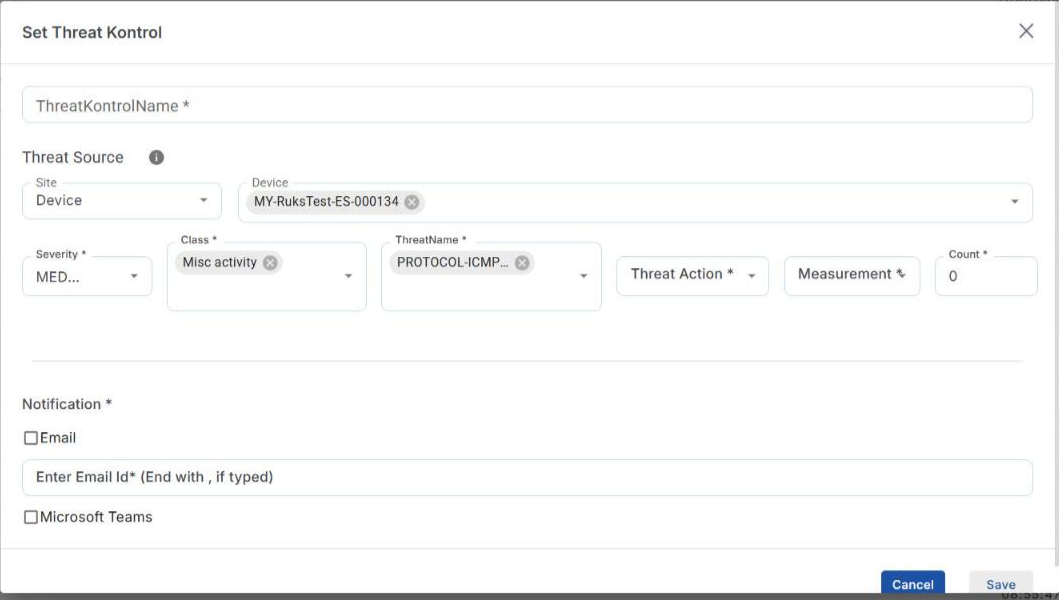
Set Threat Kontrol (pre-filled)
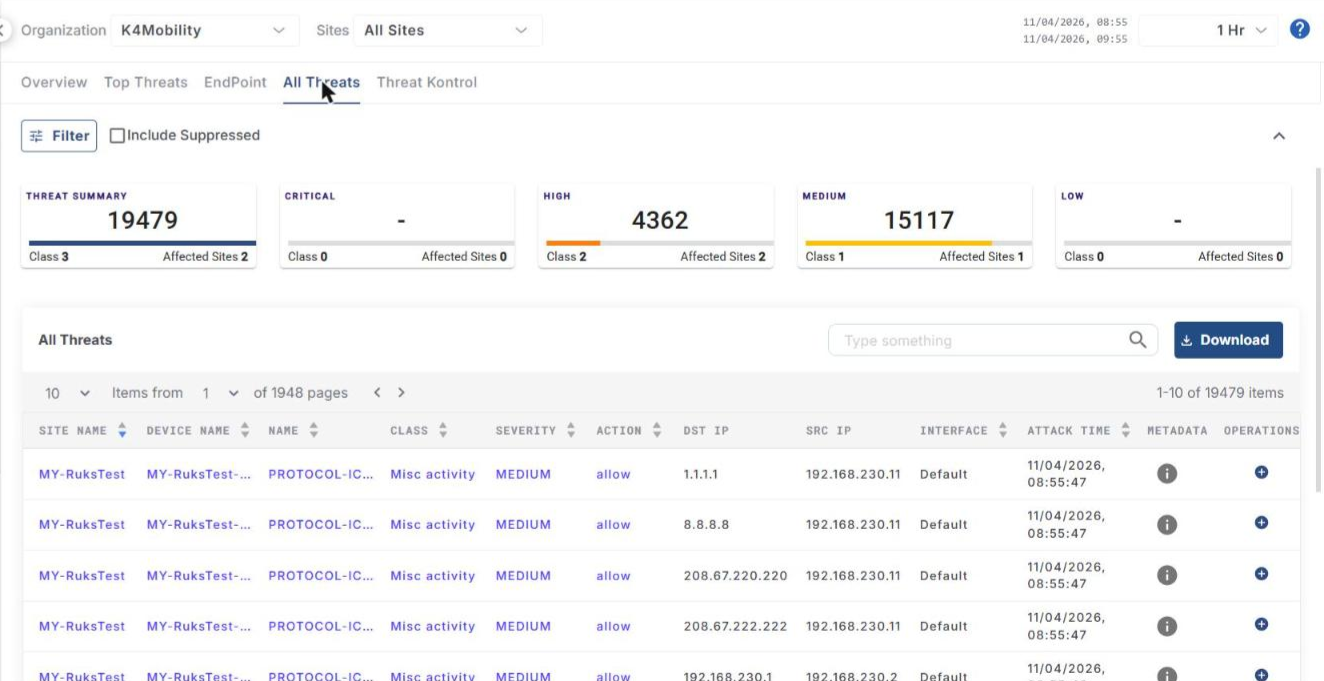
Click the dropdown given below the All Threats heading to change the number of items displayed in one page. The pagination helps the user navigate to the next page by using the < > buttons or click the dropdown menu to move to the intended page.
Click Download to download the table data in CSV format.
-
Enter the required text in the Type something search field to search the table.
-
Select the Include Suppressed checkbox to include the suppressed threats in the table.