-
Click the Events tab to view the Events table.
-
The Events table shows the log of all events reported by the sites (Edge) and by Kognitive Cloud for the selected organization, sites and period (default 7 Days).
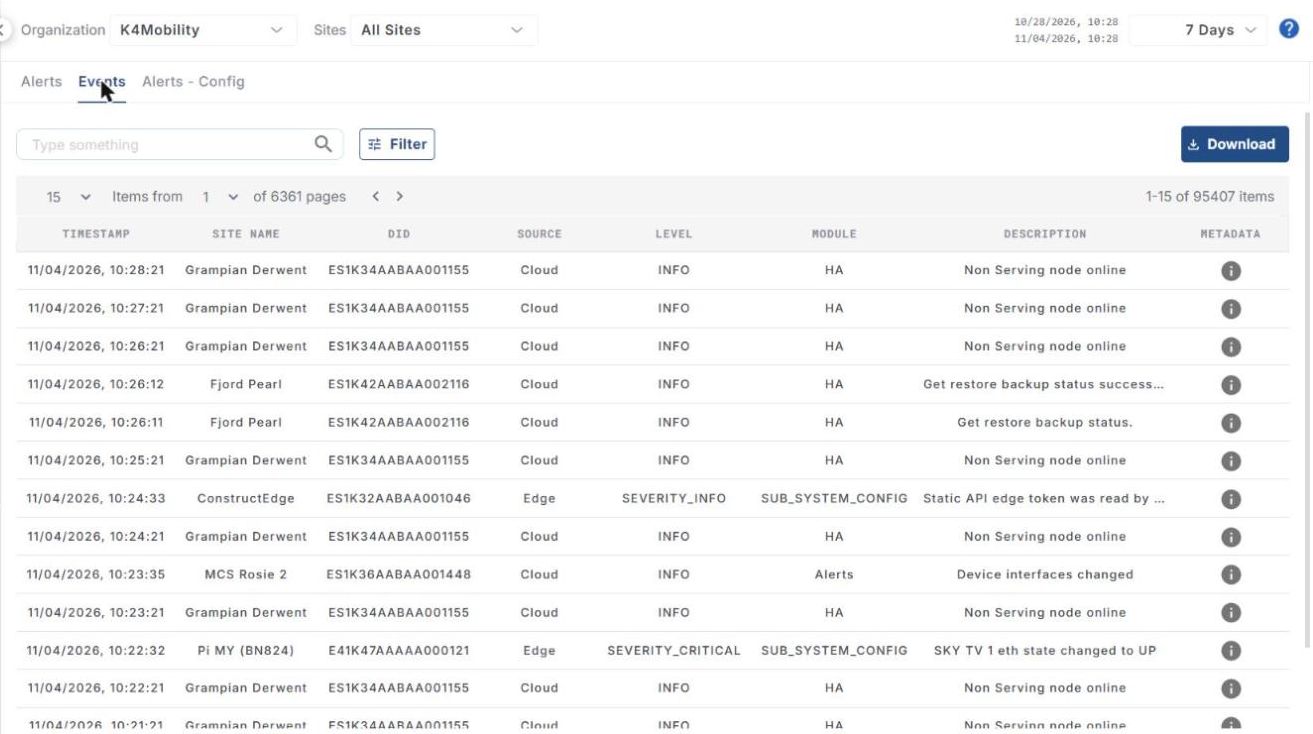
The table shows the following information:
-
Timestamp – date and time of the event.
-
Site Name – name of the site.
-
DID – device identification number.
-
Source – Edge or Cloud.
-
Level – severity level of the event (for example INFO, SEVERITY_CRITICAL).
-
Module – module that reported the event (for example HA, Alerts, SUB_SYSTEM_CONFIG).
-
Description – short description of the event.
-
Metadata – click the info icon to view the event details.
Search, filter and download
-
Use the search field to find specific events.
-
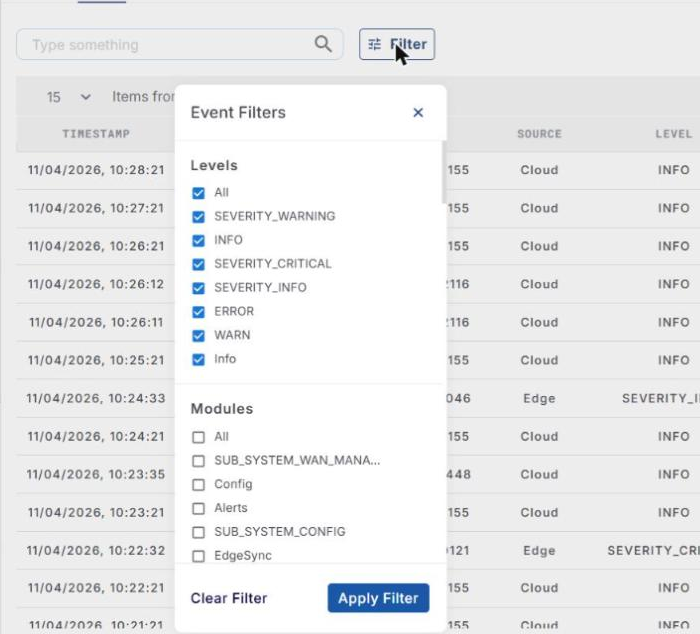
Click the Filter button to open Event Filters. Filter the table by:
-
Levels
-
Modules
-
Devices
-
Sources
-
-
Each filter group has an All option to select or clear all its values. Select the required values and click Apply Filter. Click Clear Filter to remove the filters.
-
Click Download to download the events.