
-
Select the Status tab to view active routing information.
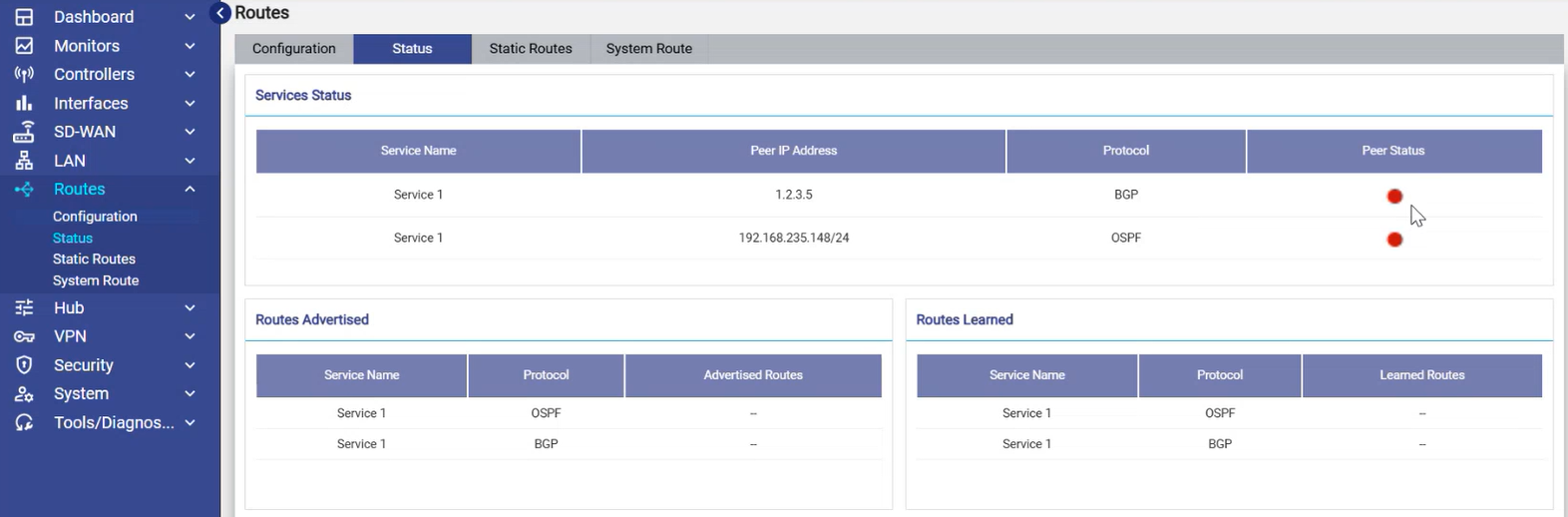
Service Status
-
The Service Status section shows the following information:
-
Service Name
-
Peer IP Address
-
Protocol (OSPF/BGP)
-
Peer Status (Green = Up, Red = Down)
-
-
This helps confirm whether neighbors are successfully establishing routing sessions.
Routes Advertised
-
This section shows the routes the router has shared with neighbors.
-
It also shows the Protocol used.
Routes Learned
-
This section shows the Routes received from neighbors.
-
It also shows the Protocol through which they were learned.